
Best AI Photo Pose Prompt: Make Yourself Look Better With Less Posing
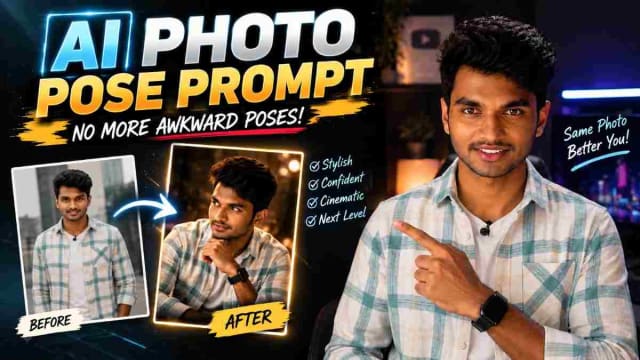
Struggling to pose for photos? You don't always need advanced model posing skills to take better pictures — with an AI photo pose prompt, you can turn one image into a more stylized photo.
This AI photo editing trend is great for anyone who struggles with posing, or wants to experiment with different photography styles. By combining your photo and a well-written AI prompt, you can ask an AI image tool to edit the overall pose, composition and visual presentation of your photo.
What Is an AI Photo Pose Prompt?
An AI photo pose prompt is a description that tells an AI image generator how you'd like your image to look.
Without needing to try dozens of poses, you can submit your existing photo plus a description of the desired photography style to an AI image tool.
For example, an AI prompt can ask for:
A confident standing pose
A natural casual pose
A cinematic portrait
A professional photoshoot
A fashion-style pose
A street photography look
A luxury editorial portrait
A relaxed social-media pose
The overall result will depend on the AI tool, your submitted image and the instructions you've written.
How to Use an AI Pose Prompt
The process is simple and can be completed in just a few steps.
Step 1: Choose Your Photo
Choose a clear photo of yourself to start — the more details the image has about your face and body, the more information the AI will have to work with. You can use a portrait, full-body photo or any other image you'd like as your reference.
Step 2: Open Your AI Image Tool
Open the AI image-generation or photo-editing tool you normally use, and upload your selected photo as the reference image.
Step 3: Use This Pose Prompt
Paste the prompt below along with your image. The prompt is written to only change your pose while leaving your face, hairstyle, skin tone, clothes, background and everything else intact — and includes four pose options you can use.
✨ AI PromptChange only the body pose into a natural, aesthetic Instagram-style pose. Keep the face, hairstyle, skin tone, clothes, background, lighting, shadows, camera angle, image quality, and every other detail exactly the same. Do not change the hair, faceshape, expression, outfit, identity, or surroundings. Make the new pose lookrealistic, natural, and as ifcaptured in the original photo. Pose options: 1. One hand touching the hair/head, head slightlydown. 2. Both hands in pockets, body 30° angled, one footforward. 3. Arms loosely crossed, body slightly turned, headgently tilted. 4. Both hands gently behind the back, body slightly angled, shoulders relaxed, one foot slightly forward, head turned slightly sideways with a subtledownward tilt, calm and confident posture. Ultra-realistic, authentic photography, natural body proportions, no Al artifacts, no fake-looking edits.
Generate a new image for each pose option (or run the prompt four times with your photo attached) to compare the results against your original image.
Step 4: Generate the Image
Once you've submitted the prompt, the resulting image can give you a different pose, composition or photography style using your original image as the reference.
My Experience Using This Prompt
I tried all four pose options using the same reference photo. Out of the options, number 2 (hands in pockets, body angled) held up the best — the face and outfit was almost identical to the original, and the pose looked like something a photographer would actually use. Option 1 (hand touching hair) was the most likely option to slightly altering the hairline in a couple of examples, so if you try that option, try generating two or three versions and see which looks cleanest. Across all four options, keeping the "do not change identity/outfit/background" instruction in the prompt made a noticeable difference compared to some shorter prompts I tried earlier.
Why Are AI Pose Prompts Trending?
Part of it is because AI prompts can allow for more experimentation with photography.
Many people know what kind of photo they want, but don't know how to position their hands, body or face — prompts can act as a starting point for exploring different concepts.
This includes:
Instagram creators: Generate different portrait concepts for Reels covers, posts and profile photos.
Content creators: Experiment with different professionally-looking styles without having to re-photograph something multiple times.
Fashion content: Explore editorial, streetwear or cinematic photography concepts.
Profile photos: Test out different concepts for social-media content.
Different AI Photo Pose Ideas
You can tweak the prompt above to test out different concepts.
1. Natural Casual Pose
Ask for an overall relaxed posture, natural expression and everyday photography style.
2. Cinematic Portrait
Add cinematic lighting, dramatic composition, shallow depth of field and a professional photography aesthetic.
3. Fashion Editorial
Try using editorial lighting, confident posture and a magazine-inspired composition.
4. Street Photography
Aim for an urban environment, candid body language and natural movement.
5. Professional Portrait
Ask for a clean composition, confident posture and studio-style lighting.
Tips for Better AI Photo Results
Use a Clear Reference
A higher-quality reference image can make it easier for the AI to understand your appearance and clothing.
Be Specific
Instead of asking for something vague, describe the pose, camera angle, lighting and photography style you want the AI to use.
Keep the Pose Natural
Describing natural body proportions and posturing can reduce the risk of getting unnatural results.
Check the Hands
AI images can sometimes produce unnatural hands or fingers — include instructions for realistic hands and anatomy to reduce that risk (but note that results can vary between AI tools).
Try Multiple Variations
You can tweak the pose or photography style multiple times to create a couple of different variations. One prompt can ask for a standing pose, and another can ask for a sitting or walking pose to create a couple of variations.
Can AI Make You Look Like a Professional Model?
AI can generate professional model-like images, but it depends on your image, prompt and overall tools being used.
It's better to think of these tools as a creative editing tool, rather than a substitute for professional photography — your original image will still play a key role in determining the final appearance.
FAQ
Will this prompt change my face or outfit?
No — the prompt is written specifically to preserve your face, hairstyle, skin tone, clothes and background, and only change the body pose. Minor variations can still happen occasionally, so make sure to review the result before posting.
Which pose option works best for Instagram?
Option 2 (hands in pockets, body angled) and Option 4 (hands behind back, relaxed shoulders) tend to look the most natural for casual Instagram posts. Option 3 works well for a more editorial look.
Do I need a paid AI tool to use this prompt?
No — most free-tier AI image tools that support image + text prompts can run this. Results quality can vary between tools.
Can I combine two pose options in one prompt?
It's better to test one pose option at a time — combining multiple pose descriptions in a single prompt often ends up confusing the output and producing a blend of both poses.
Related Reading
-
Google Flow AI Video Prompt To Create An AI Video With Your Lover Or Female Friend
-
How to Create Trending 1980's AI Video with Google Flow Using Photo
Final Thoughts
If you struggle with posing for photos, an AI photo pose prompt can be a great way to experiment with new concepts. Upload your photo, use the prompt above and let the AI generate a creative version of your image.
From natural poses and cinematic portraits to fashion-editorial looks, there's a lot of options to explore. For the best results, use a clear reference image and try each of the four pose options to see which looks the best.
Written by Dinesh — full-stack developer and content creator exploring how AI photography and video prompts can be used in real-world practice. This article represents actual testing of the prompt before publication.
dinxsh7
EditorEditorial contributor researching practical guides, tech discoveries, and curated recommendations for Dinesh Picks.
Continue Reading
Recommended Stories
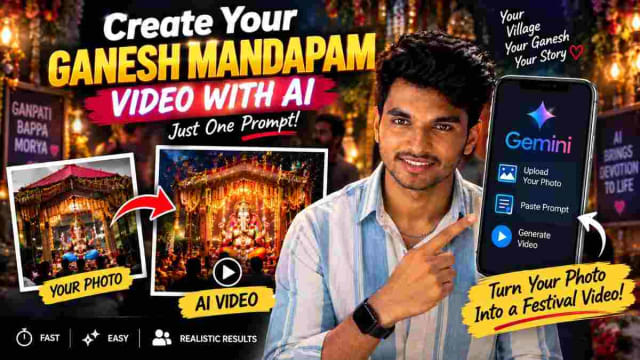
Create Your Ganesh Mandapam AI Video With AI Using One Prompt
Create a stunning Ganesh Mandapam AI video using your own village mandapam photo and a simple AI prompt. Learn how to use Gemini to transform your Ganesh festival image into a creative video and make unique Vinayaka Chavithi content for Instagram Reels, WhatsApp Status and YouTube Shorts.
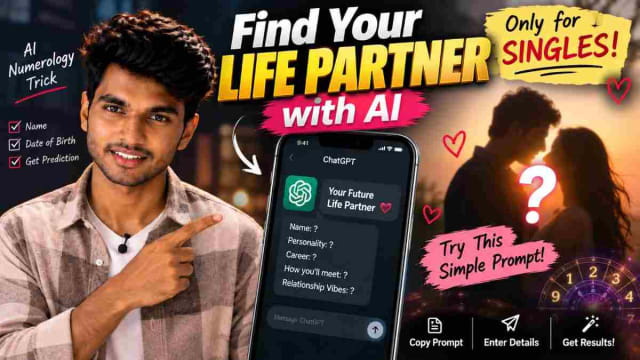
How to Find Your Future Life Partner With a ChatGPT Numerology Prompt
Curious about your future life partner? 💕 With a simple ChatGPT numerology prompt, you can enter your name and date of birth to generate a fun, personalized prediction about your potential future partner. In this guide, learn how to use the prompt, customize your details, and explore AI-generated relationship insights. This trend is meant for entertainment and should not be treated as a scientifically proven prediction of your actual future.
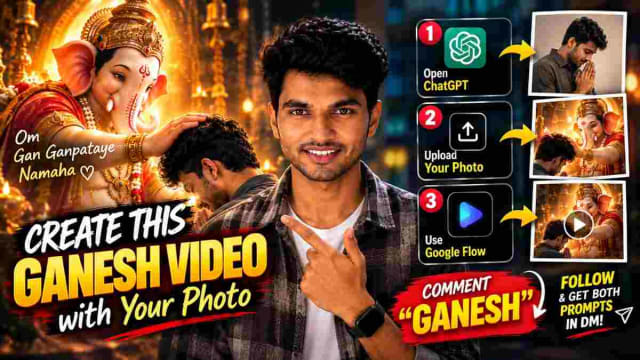
Ganesh AI Video Prompt: Create Ganesh Video With Your Photo
Create a cinematic Ganesh AI video using your own photo with ChatGPT and Google Flow. Follow the step-by-step process to generate a Ganesh AI image and transform it into a video using simple prompts.