
Boy Sunset AI Photo Prompts
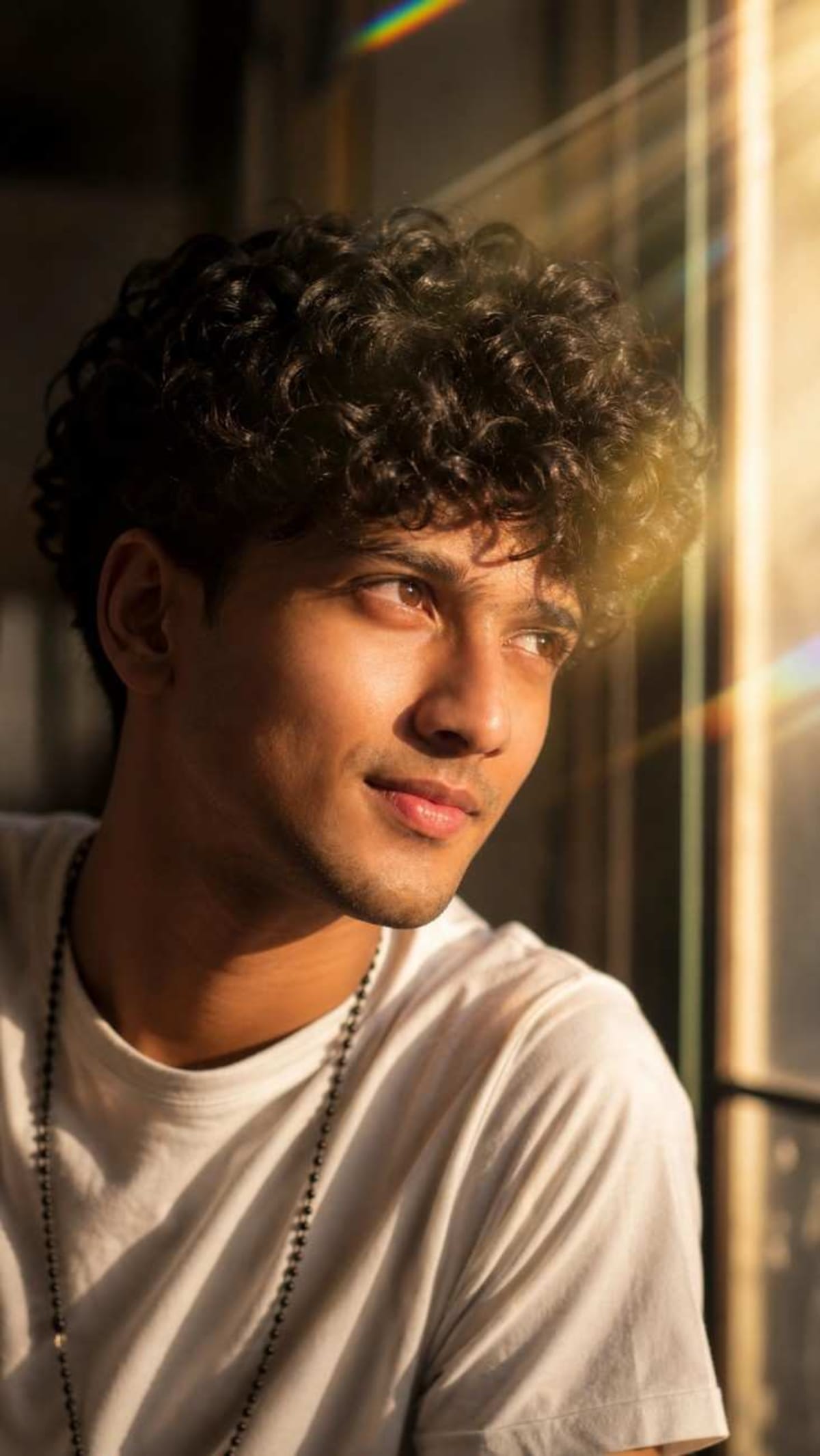
A cinematic close-up low-angle portrait prompt designed for generating a thoughtful male portrait with vibrant side sunlight and lens flare.
Prompt Text
Ready to copy & executeA dramatic close-up low-angle portrait of a man looking thoughtfully towards a bright window. Cinematic sunlight pours in from the side, creating vibrant lens flare, rainbow light rays, and warm rim lighting across his face and messy hair. He has short stubble, expressive eyes, and is wearing a plain white t-shirt with a dark beaded necklace hanging down. Cozy indoor ambiance with soft warm shadows, shot on a 85mm lens, moody lighting, highly detailed, realistic texture, 8k resolution. use refrcene img to createIntroduction
This advanced prompt leverages specific photographic terminology like 85mm lens, low-angle perspective, and warm rim lighting to direct AI models toward a moody, high-detail portrait aesthetic. It instructs the generator to utilize a reference image to achieve a cohesive output based on specific subject styling. The composition emphasizes emotional depth through the subject's thoughtful expression and dramatic window lighting.
Prompt Details
Concept & Creative Objective
To generate a realistic, highly detailed close-up portrait of a man in moody, cinematic indoor lighting featuring a bright window and distinct lens flares.
Why This Prompt Works
The prompt utilizes precise photographic directives such as an 85mm lens for natural compression, a low-angle perspective for a dramatic viewpoint, and specific lighting cues like rim lighting and rainbow light rays to establish depth and atmosphere.
Prompt Breakdown
The prompt relies on detailed descriptive text outlining the subject's appearance—short stubble, messy hair, plain white t-shirt, and dark beaded necklace—alongside technical specifications like 8k resolution and realistic textures. It also explicitly references the use of an input reference image.
Instructions
Customization Tips
You can modify the subject's clothing, such as changing the plain white t-shirt to a different garment, or alter the time of day by adjusting the sunlight and lens flare descriptors.
Generation Best Practices
Ensure you provide an appropriate reference image when running this prompt, as the text explicitly instructs the tool to use a reference image for creation.
Help & Answers
Frequently Asked Questions
This prompt is compatible with Gemini and requires an input reference image to guide the generation process.