
Cinematic Portrait Poster with Gold Typography
Generate an ultra-realistic cinematic portrait poster featuring a confident man with metallic gold typography.
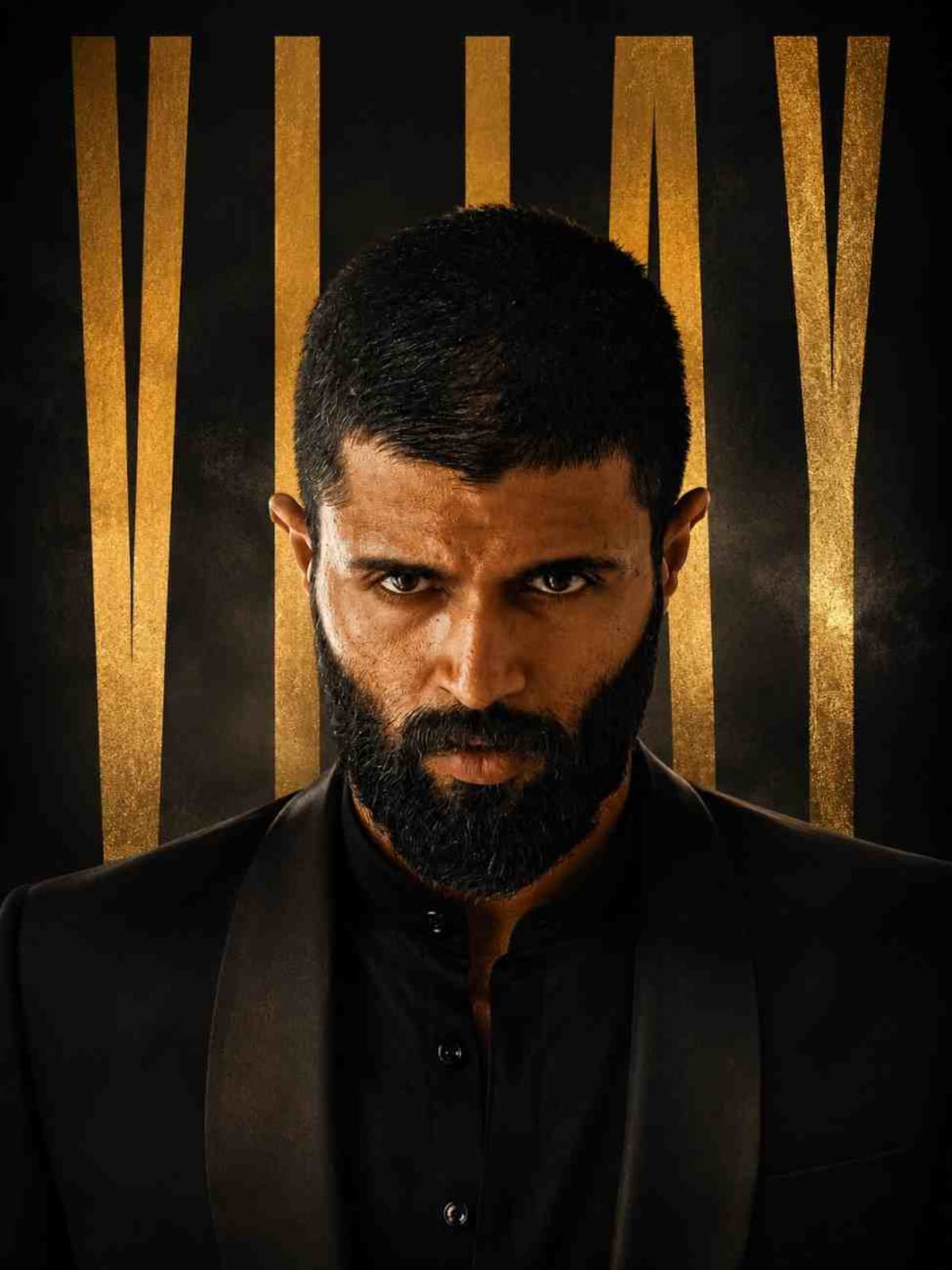
Prompt Text
Ready to copy & executeultra realistic cinematic portrait poster of a confident man using the attached face image as reference, centered headshot with shoulders visible and a calm powerful expression. Use dramatic studio lighting with a soft key light and subtle rim lighting for depth and contrast. The background should be dark matte black or charcoal with a luxury cinematic feel. Place very large tall condensed vertical typography behind the subject in the same stretched style as the reference image, partially hidden by the subject, with the text placeholder “[{argument name="VIJAY" default="VIJAY }]”. The typography should be metallic gold with a subtle foil shine. Dress the subject in a refined masculine outfit such as a black tailored suit or elegant modern sherwani. Style the image as a classy luxury editorial poster with deep black and gold tones, ultra realistic skin detail, shallow depth of field, cinematic color grading, and high resolution professional photographyIntroduction
This prompt creates a high-end, luxury editorial poster by combining a centered headshot with dramatic studio lighting and striking gold typography. It is specifically structured to use a reference face image for personalized portrait generation. The aesthetic merges professional photography techniques with a sophisticated black and gold color palette.
Prompt Details
Concept & Creative Objective
To produce a professional, cinema-grade portrait poster that integrates a referenced face with bold vertical typography and luxury apparel.
Why This Prompt Works
The prompt relies on precise compositional and lighting directives, such as centered headshot framing, a soft key light paired with subtle rim lighting, and a shallow depth of field. Specifying dark matte backgrounds against metallic gold foil typography creates strong visual contrast and a polished aesthetic.
Prompt Breakdown
The prompt requires an attached reference face image and specifies a centered headshot showing the shoulders. It includes explicit placeholders for custom text, defines the wardrobe as a black tailored suit or modern sherwani, and dictates high-resolution professional photography styling with cinematic color grading.
Instructions
Customization Tips
You can change the text placeholder from the default name to any desired word or name. You can also modify the wardrobe instruction from a black tailored suit to another high-end masculine outfit to match your preferred look.
Generation Best Practices
Ensure you attach a clear, high-resolution reference face image when using this prompt to achieve the best likeness. Experiment with the text placeholder length to ensure the tall condensed vertical typography fits well behind the subject.
Help & Answers
Frequently Asked Questions
You need to provide an attached face image to serve as a reference for the centered headshot.