
City night selfie with any celebrity
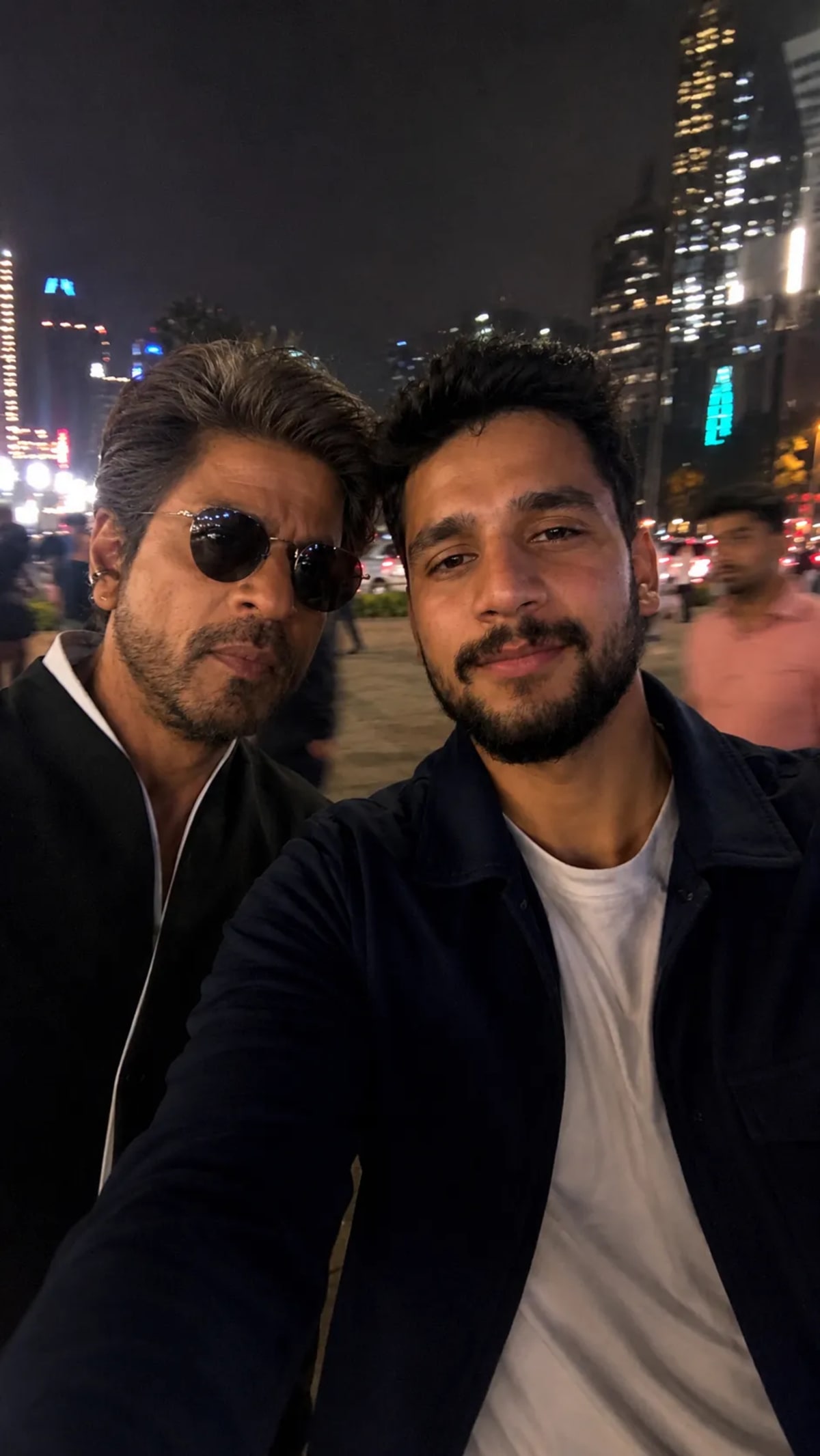
Generate a deliberately casual, low-quality nighttime iPhone selfie alongside any chosen celebrity in a vibrant city setting.
Prompt Text
Ready to copy & executeUse the uploaded image of me. Take an extremely ordinary and unremarkable iPhoneselfie, with no clear subject or sense of composition- justa quick accidental snapshot. The photo has slight motionblur and uneven lighting from streetlights or indoor lamps, causing mild overexposure in some areas. The angle isawkward, and the framing is messy, giving the picture:deliberately mediocre feel, as if it wastaken absentmindedly while pulling the phone from apocket. The main character (reference image), andme stands next to him, both caught in a casual, imperfectmoment. The background shows a lively TEMPAT at night, with neon lights, traffic, and blurry figures passing by, Theoverall look is. intentionally plain and random, capturingthe authentic vibe of a poorly composed, spontaneousiPhone selfie. make sure to don't change facial, 388 feature ofmine which I give youIntroduction
This prompt is engineered to bypass the polished, overly perfect look typical of AI-generated imagery by purposely mimicking a quick, accidental smartphone snapshot. By incorporating imperfections like motion blur, uneven street lighting, and awkward framing, it produces a hyper-realistic candid moment. It requires an uploaded reference image to accurately map your facial features next to a selected public figure.
Prompt Details
Concept & Creative Objective
To create a convincing, unpolished night selfie that looks genuinely captured on an iPhone while standing next to a chosen celebrity in a lively city environment.
Why This Prompt Works
The prompt relies on specific anti-aesthetic instructions—such as slight motion blur, uneven lighting, overexposure, and awkward framing—which actively prevent the AI from generating a clean, studio-quality image. Specifying details like pulling the phone from a pocket and ensuring the user's facial features remain unchanged from the reference image guides the model to prioritize realism and personal likeness over artistic composition.
Prompt Breakdown
The instructions explicitly call for an ordinary iPhone selfie style with no clear composition, minor blur, and uneven streetlight or indoor lamp illumination. It mandates the inclusion of a lively urban background with neon lights, traffic, and blurry passersby. Crucially, it instructs the generator to preserve the exact facial features from the provided reference image.
Instructions
Customization Tips
You can modify the background setting by replacing the placeholder 'TEMPAT' with a specific location, such as a busy Tokyo street, a New York diner, or a concert venue. You can also specify a different celebrity by naming them alongside your reference photo upload.
Generation Best Practices
Make sure to upload a clear reference image of your face so the AI can accurately map your features. Because the prompt asks for intentional blur and imperfections, generate multiple variations to find the balance of realism you prefer.
Help & Answers
Frequently Asked Questions
Yes, the prompt explicitly relies on an uploaded reference image of your face to ensure your facial features remain unchanged in the final output.