
Diya Lighting Moment
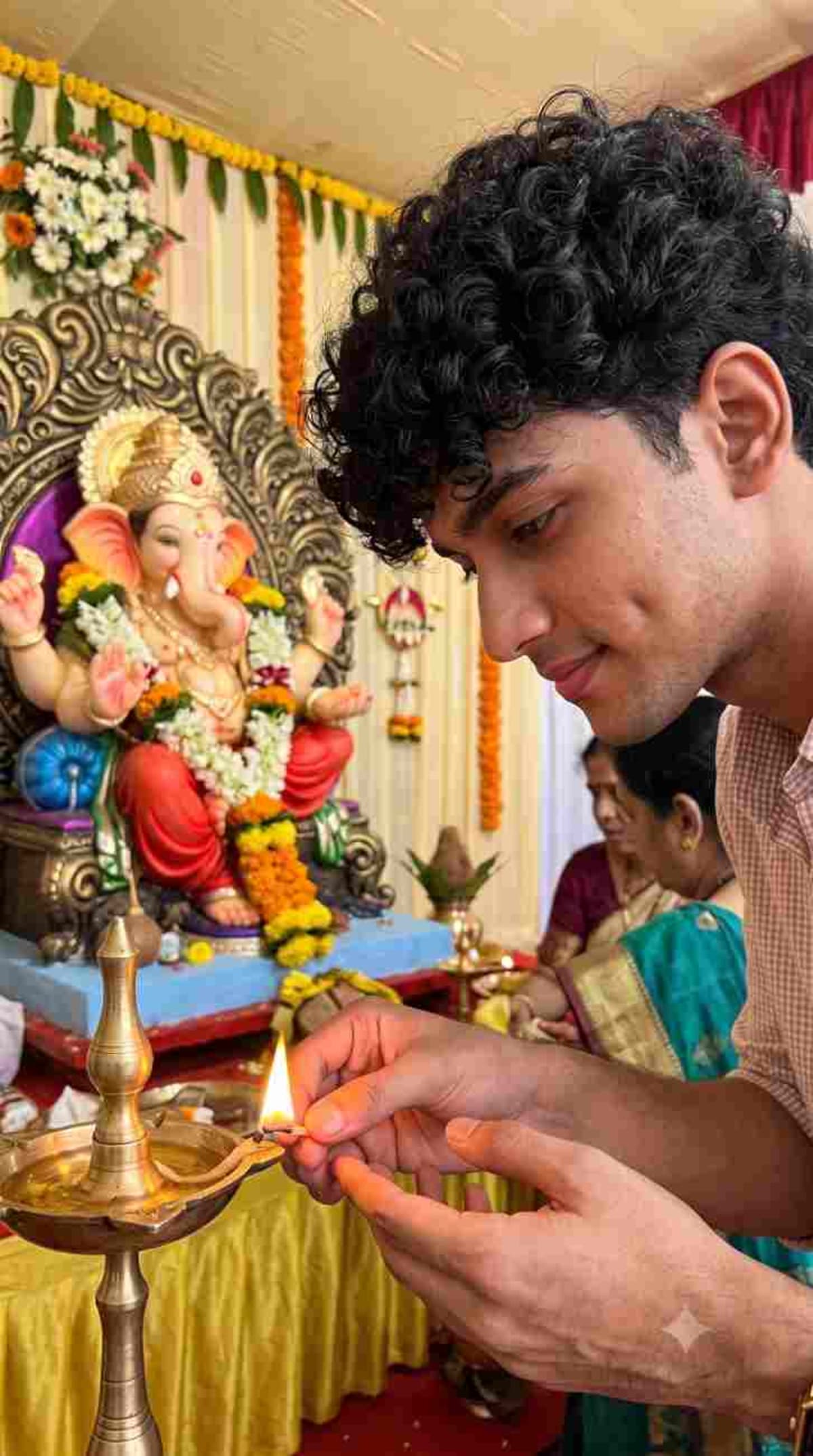
Generate an ultra-realistic 9:16 vertical photograph of a male devotee lighting diyas in front of a Lord Ganesha idol during Ganesh Chaturthi.
Prompt Text
Ready to copy & executeCreate ONE single ultra-realistic 9:16 vertical photograph using the uploaded reference image as the exact facial reference.
Keep the person's face completely unchanged.
Show the person respectfully lighting a traditional brass diya near a beautifully decorated Ganesh idol during Ganesh Chaturthi.
The person looks naturally toward the diya with a calm peaceful expression.
Warm diya light gently illuminates the hands and lower face while natural ambient festival light fills the environment.
Marigold flowers, jasmine garlands, Ganesh decorations and a few devotees appear naturally in the background.
Realistic hands, realistic flame, natural skin texture, authentic Indian devotional atmosphere.
No artificial glow or fantasy effects.
ONE IMAGE ONLY. STRICTLY 9:16.Introduction
This prompt is designed for Gemini users who want to incorporate an uploaded reference image for precise facial consistency. It combines traditional festival elements like brass diyas, marigold flowers, and jasmine garlands with realistic lighting conditions. The output captures a calm, devotional Indian festival atmosphere.
Prompt Details
Concept & Creative Objective
To produce a single, authentic 9:16 vertical photograph depicting a peaceful devotional moment during Ganesh Chaturthi while strictly preserving the facial features of an uploaded reference image.
Why This Prompt Works
The prompt explicitly instructs the AI to use an uploaded reference image for exact facial matching while defining clear constraints such as 9:16 aspect ratio, warm diya lighting, and natural ambient festival light. It avoids generic buzzwords and instead specifies concrete scene details like brass diyas and specific floral decorations.
Prompt Breakdown
The instructions enforce a single image output in a 9:16 vertical aspect ratio. It mandates keeping the reference person's face unchanged, directing their gaze naturally toward the diya with a calm expression, and maintaining realistic hands, flames, and skin texture without fantasy effects.
Instructions
Customization Tips
You can swap out the devotional setting or adjust the specific festival decorations in the background by editing the text while retaining the facial reference instructions.
Generation Best Practices
Ensure you upload a clear reference image that matches the requested facial consistency before executing the prompt in Gemini to get the best results.
Help & Answers
Frequently Asked Questions
Yes, the prompt explicitly instructs the AI to use an uploaded reference image as the exact facial reference.