
Ganesh Procession Golden Hour
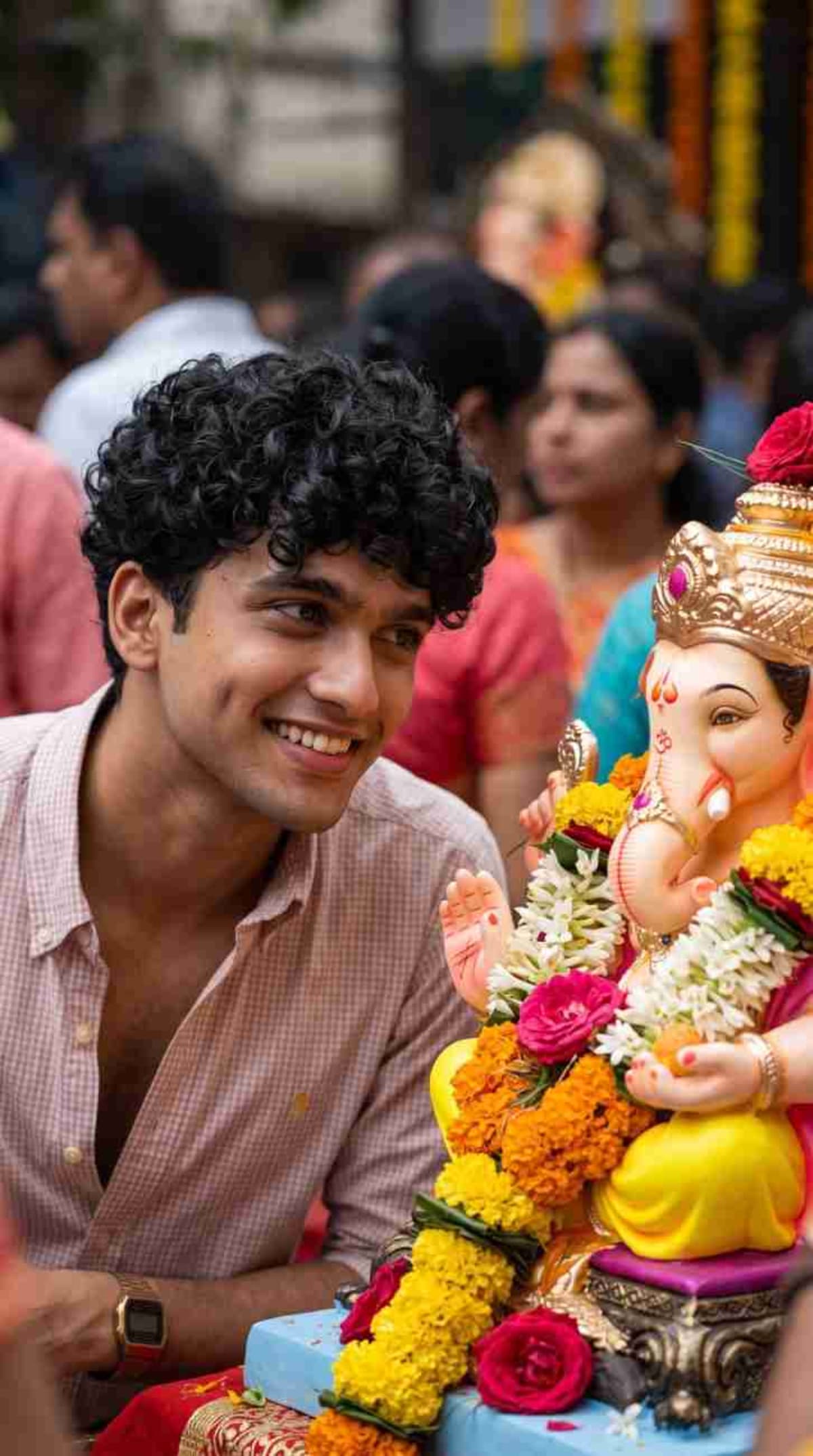
Generate a natural, photorealistic 9:16 vertical photograph of a specific individual in a candid moment during a Ganesh procession.
Prompt Text
Ready to copy & executeCreate ONE single natural photorealistic 9:16 vertical photograph using the uploaded reference image as the EXACT identity reference.
The person must remain exactly recognizable and identical to the reference.
Capture a candid moment where the person has just looked toward a beautifully decorated Ganesh idol and naturally smiles.
The Ganesh idol is visible beside and slightly behind the person, surrounded by fresh flowers, marigold garlands and devotees.
The person should NOT pose like a professional model. The expression must feel spontaneous and genuine.
Natural Indian festival lighting, realistic skin texture, realistic eyes, natural hair strands, realistic background crowd and authentic Ganesh Chaturthi atmosphere.
ONE IMAGE ONLY. STRICTLY 9:16.Introduction
This prompt is designed to produce an authentic photograph integrating an uploaded reference image into a vibrant Ganesh Chaturthi festival setting. It emphasizes a candid, spontaneous expression rather than a posed look, utilizing golden hour and festive lighting to establish a realistic atmosphere.
Prompt Details
Concept & Creative Objective
To accurately place a specific individual from a reference image into a culturally rich Ganesh Chaturthi procession scene while maintaining exact facial identity and a natural, unposed demeanor.
Why This Prompt Works
The prompt relies on precise constraints such as specifying a single 9:16 vertical photograph, enforcing exact facial identity from an uploaded reference image, and explicitly instructing the model to avoid professional modeling poses. Details like natural skin texture, realistic eyes, and authentic festival elements ground the output in photographic realism.
Prompt Breakdown
The instructions enforce a strict 9:16 vertical aspect ratio, require the exact identity of an uploaded reference image to be preserved, and mandate a candid expression where the person looks toward a decorated Ganesh idol. It also details background elements such as marigold garlands, fresh flowers, a crowd, and natural Indian festival lighting.
Instructions
Customization Tips
You can modify the lighting descriptors or background details to match a specific time of day or regional festival decor, provided you maintain the core identity instructions.
Generation Best Practices
Ensure you upload a clear reference image that matches the requested identity requirements. Check that your generation platform supports image-to-image inputs and aspect ratio control for 9:16 outputs.
Help & Answers
Frequently Asked Questions
This prompt is compatible with AI generators that support image-to-image reference inputs and aspect ratio controls, such as ChatGPT and Gemini.