
Happy Crowd Celebration
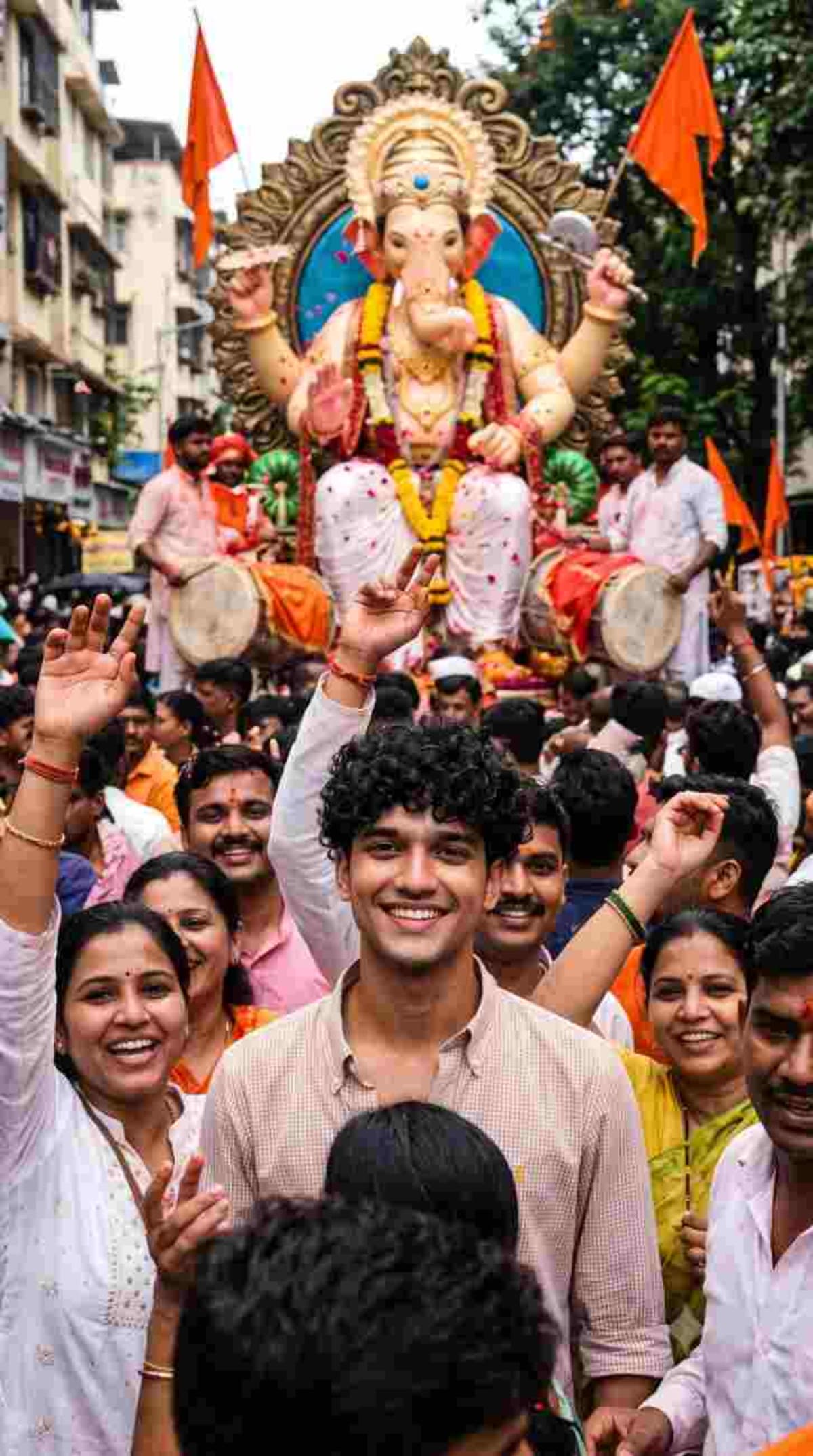
Generate a realistic 9:16 vertical photograph of a specific individual integrated into a joyful Ganesh Chaturthi festival crowd.
Prompt Text
Ready to copy & executeCreate ONE single realistic 9:16 vertical photograph using the uploaded reference image as the exact identity reference.
The person must look exactly like the reference.
Show the person naturally standing among happy devotees during a Ganesh Chaturthi celebration.
People around them are smiling, raising their hands and celebrating while a magnificent Ganesh idol is visible behind the crowd.
Saffron flags, flower garlands, marigold decorations, dhol-tasha performers and flower petals create a genuine Indian festival atmosphere.
The person looks toward the camera with a natural joyful expression.
Avoid exaggerated poses. Make the entire scene feel like an authentic candid photograph.
Natural daylight, realistic skin and hair, realistic crowd behavior, cinematic documentary photography.
ONE IMAGE ONLY. 9:16 vertical.Introduction
This prompt is designed to take an uploaded reference image and place the exact individual into an authentic Indian festival setting. By incorporating specific cultural elements like saffron flags, marigold decorations, and dhol-tasha performers, it builds a believable celebration context around the subject. The strict constraint for a single, realistic 9:16 vertical photograph helps guide text-to-image models toward a documentary-style output.
Prompt Details
Concept & Creative Objective
To produce a candid, documentary-style photograph that faithfully preserves a person's identity from a reference image while placing them naturally inside a vibrant Ganesh Chaturthi crowd celebration.
Why This Prompt Works
The prompt explicitly instructs the AI to use an uploaded reference image for exact identity matching, which helps maintain facial consistency. It specifies aspect ratio (9:16 vertical) and output quantity (ONE IMAGE ONLY) to prevent multi-panel grids. Furthermore, it details specific cultural and atmospheric elements such as marigold garlands, a magnificent Ganesh idol, and dhol-tasha performers to enrich the background context.
Prompt Breakdown
The instructions mandate a single 9:16 vertical photograph utilizing an uploaded identity reference. It requires the subject to display a natural joyful expression while looking at the camera, avoiding exaggerated poses. Environmental details include natural daylight, realistic skin and hair textures, and documentary-style crowd behavior.
Instructions
Customization Tips
You can modify the festival context or background elements within the prompt if you want to feature a different celebration while keeping the same reference individual.
Generation Best Practices
Ensure you upload a clear, high-resolution reference image before running the prompt in a tool that supports image-to-image or identity reference inputs. Confirm that your aspect ratio settings are configured to 9:16 vertical if the AI model requires manual dimension inputs.
Help & Answers
Frequently Asked Questions
Yes, the prompt relies on an uploaded reference image to serve as the exact identity reference for the main person in the generated photograph.