
pixel stretch artwork
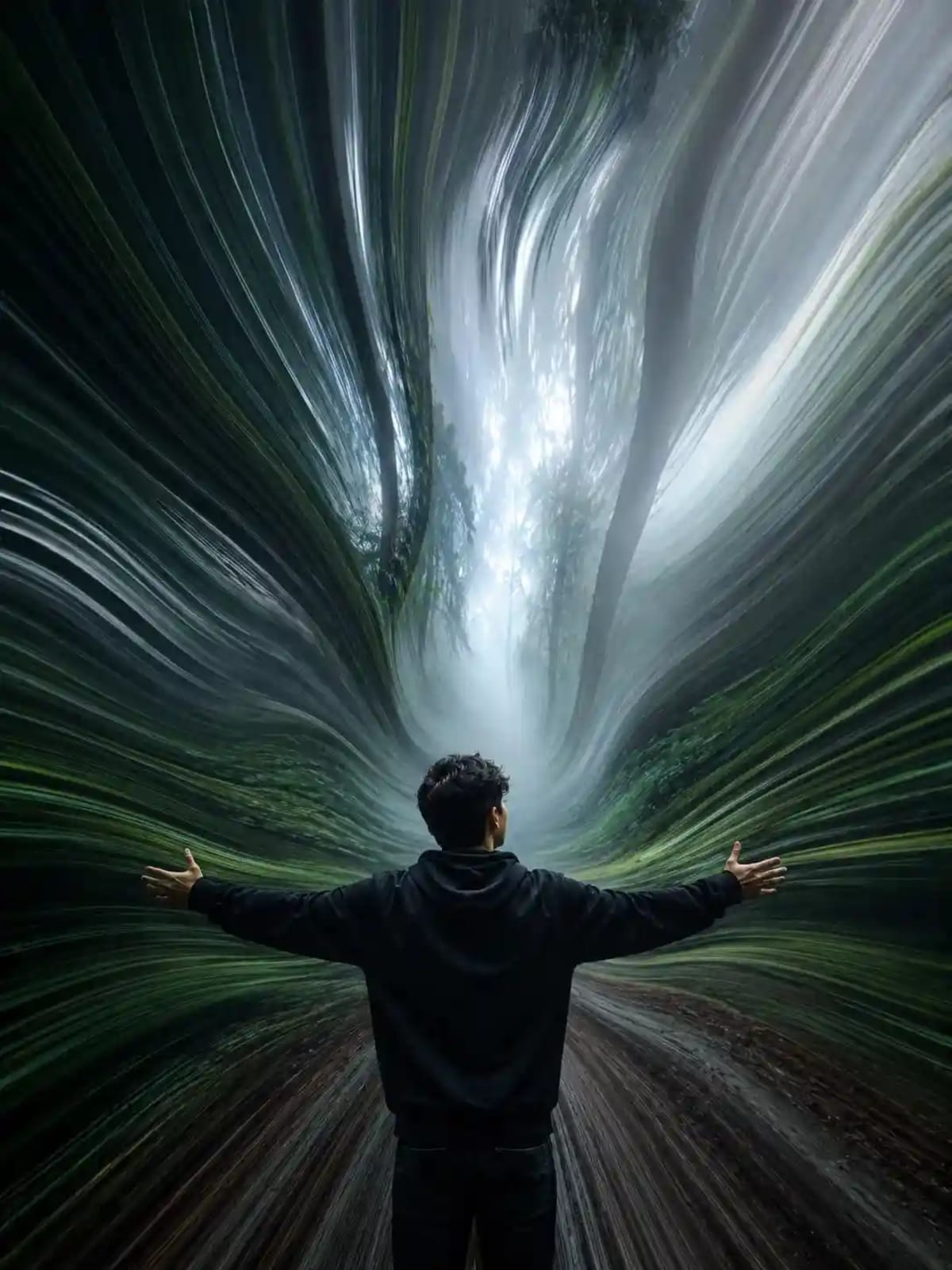
Transform an uploaded image into a premium pixel stretch artwork with sharp subjects and flowing, organic ribbons of color.
Prompt Text
Ready to copy & executeTransform the uploaded image into a premium pixel stretch artwork while keeping the main subject perfectly sharp, detailed, and recognizable. Extract colors and textures from the subject and extend them into smooth, flowing pixel-stretch ribbons that follow elegant curves and dynamic motion. Create seamless transitions between the original image and stretched areas, avoiding glitches or harsh edges. The stretched pixels should appear silky, fluid, and organic, like streams of color, light, paint, or energy.
Maintain realistic lighting, depth, shadows, and color harmony. Use cinematic contrast, vibrant colors, HDR quality, ultra-sharp details, modern minimalist composition, luxury digital art styling, Adobe Photoshop pixel stretch effect, gallery -quality finishing, and ultra-high-resolution 8K for a visually captivating, social-media-ready masterpiece.Introduction
This prompt guides an AI model or editor to take an existing image and apply a sophisticated pixel stretch effect. It balances a sharp, recognizable focal subject with dynamic, fluid motion extensions derived from the image's own color palette and textures.
Prompt Details
Concept & Creative Objective
To generate a luxury digital art piece that combines a crisp, detailed main subject with smooth, flowing pixel-stretch ribbons that emulate streams of light, paint, or energy.
Why This Prompt Works
The prompt relies on precise stylistic constraints, instructing the AI to extract colors and textures directly from the source subject while maintaining cinematic contrast, depth, shadows, and seamless transitions.
Prompt Breakdown
The instructions explicitly require keeping the main subject sharp and recognizable, creating smooth and flowing pixel-stretch ribbons along elegant curves, ensuring realistic lighting and depth, and applying luxury digital art styling with HDR quality and modern minimalist composition.
Instructions
Customization Tips
You can modify the desired aesthetic by changing descriptive keywords like 'streams of color' to 'streams of light' or 'energy', or by adjusting the requested composition style.
Generation Best Practices
For best results, upload a clear source image with a distinct main subject and strong color contrast so the AI can effectively extract and stretch the pixel data.
Help & Answers
Frequently Asked Questions
Images featuring a distinct main subject and clear color palettes work best, as the prompt relies on extracting colors and textures from the subject.