
Realistic Girl Portrait AI Prompts
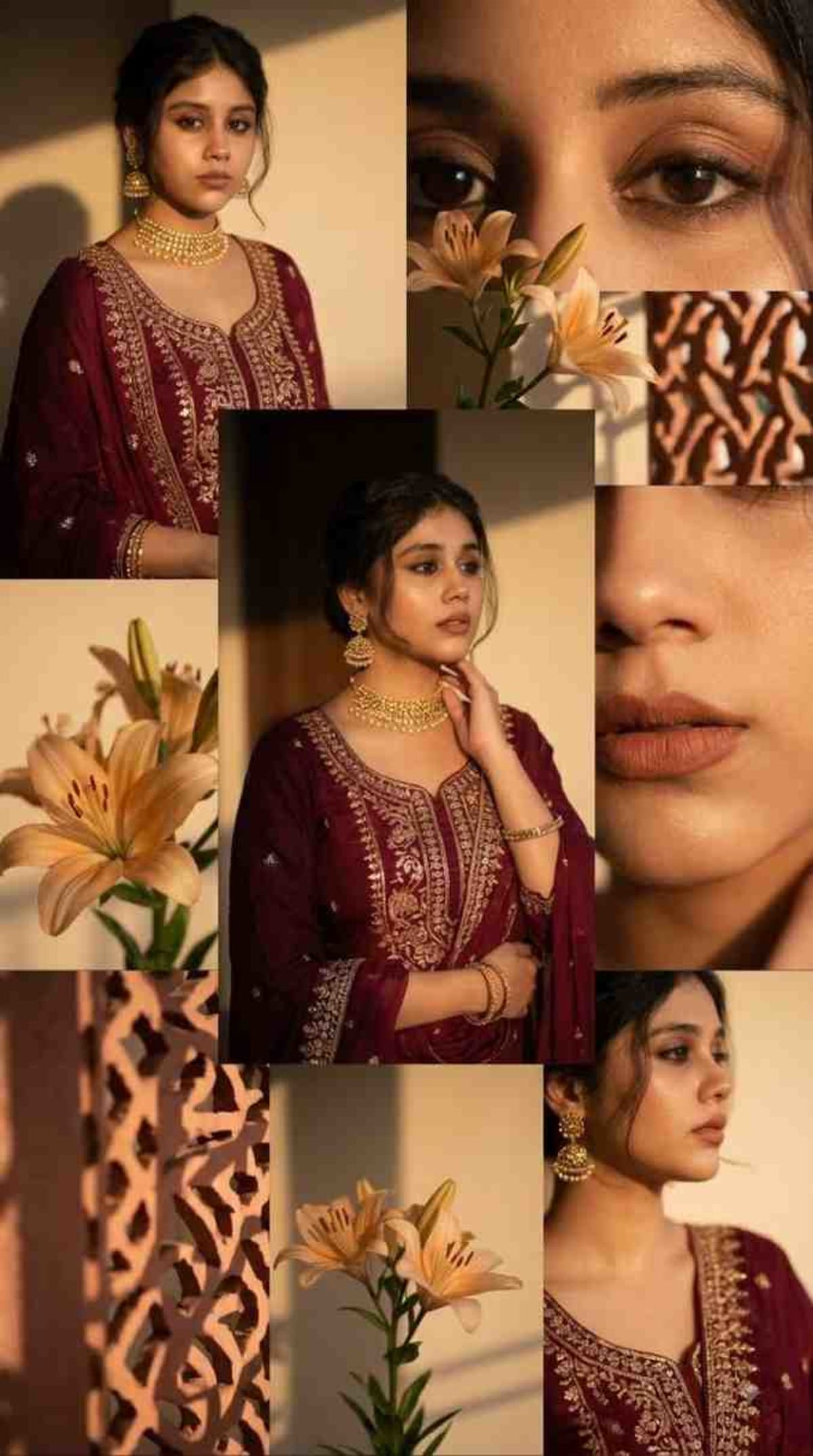
Generate a warm-toned, layered photo collage in a 9:16 aspect ratio featuring a subject in luxury Indian attire.
Prompt Text
Ready to copy & executeUse the main subject in this image to create a 9:16 image of a warm-toned layered, overlapping photo collage. Golden hour lighting, soft shadows, cozy mood, burgundy, luxe, embroidered indian clothing, gold accessories. Collage with close-ups (eyes, lips, side profile), floral elements (beige/orange lilies). Soft glam, aesthetic social media style, high detail, shallow depth, ultra-realistic, 4K.Introduction
This prompt guides Gemini to transform a source image subject into an aesthetic, social media-ready photo collage. It combines close-up shots, warm golden hour lighting, and floral accents to create a cohesive, high-detail composition. The resulting image mimics a curated, editorial style with rich burgundy tones and gold accessories.
Prompt Details
Concept & Creative Objective
To produce a multi-layered, vertical photo collage that highlights a subject in traditional embroidered Indian clothing and gold accessories, complemented by soft glam styling and floral elements.
Why This Prompt Works
The prompt clearly defines layout instructions such as a 9:16 vertical aspect ratio and a layered photo collage format. It sets a specific mood through lighting descriptors like golden hour and soft shadows, while directing the inclusion of distinct detail shots like eyes, lips, and side profiles.
Prompt Breakdown
The prompt instructs the AI to use the main subject from a reference image and arrange them into an overlapping collage. Key thematic elements include burgundy colors, luxe aesthetic, embroidered Indian clothing, gold accessories, and beige or orange lilies. Technical parameters specify 4K resolution, ultra-realistic rendering, shallow depth of field, and a 9:16 ratio.
Instructions
Customization Tips
You can modify the color palette by replacing burgundy with emerald or navy, or change the floral elements from lilies to roses or marigolds to match different visual themes.
Generation Best Practices
Ensure you provide a clear reference image containing the main subject you want the AI to base the collage elements on, as the prompt relies on an existing subject.
Help & Answers
Frequently Asked Questions
This prompt is compatible with Gemini and is intended to be used with an initial reference image containing the main subject.